“Did you bring the test results?” — the paediatrician, at every visit
Everything’s right here.
Vaccination cards, health certificates, lab results, doctors’ notes — take a photo or upload a PDF, and your child’s whole health history is in one place: by date, by category, for each child.
Free to download · iPhone and Android · In Georgian and English
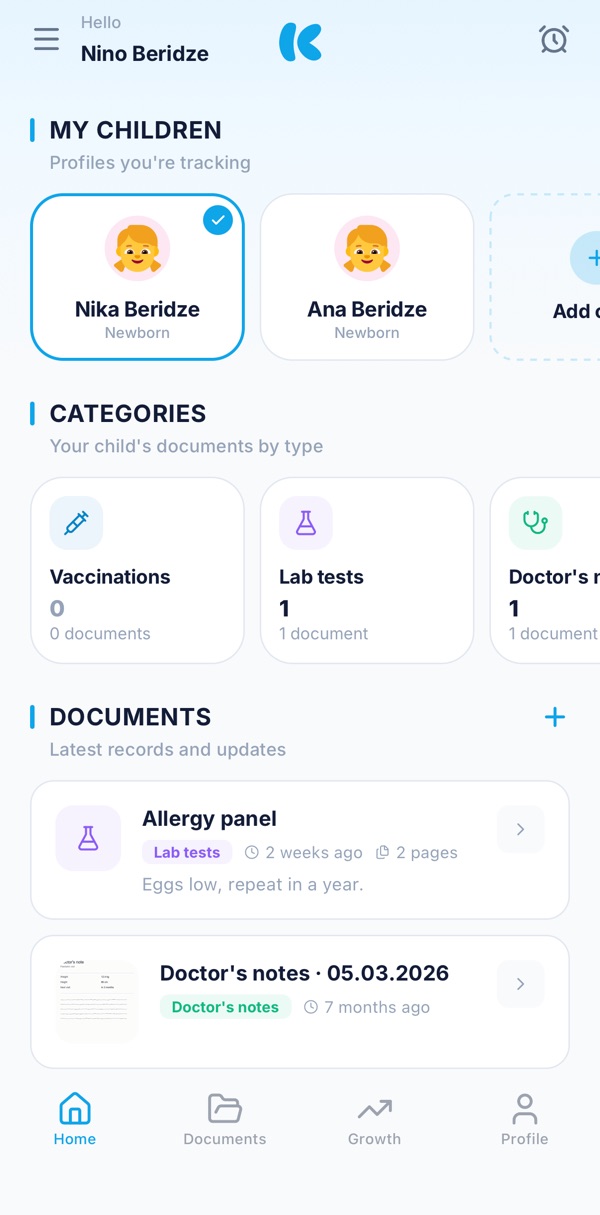
Paper wears out and gets lost. A photo stays.
Three simple things Kinvo was made for.
01 · Keep
Photos, PDFs, several pages
Take a photo or upload a PDF. Even a multi-page certificate is kept as one document — with its date, title and category.
02 · Find
Everything on its own shelf
Vaccinations, lab tests, doctor’s notes, hospital stays. Search by name, filter by category, sort by date.
03 · Share
One link for the doctor
Choose which documents the doctor sees, and for how long. The link opens without signing up, and you can switch it off at any time.
And what doesn’t fit on paper.
Vaccination calendar
Georgia’s national calendar: which doses are done and which come next.
Growth
Height, weight and head circumference: every measurement with its date, the growth on a chart.
Reminders
Reminders for visits and vaccinations, as notifications on your phone.
Several children
Each child has their own profile, documents and calendar.
Face ID and fingerprint
Lock the app with Face ID or your fingerprint.
Two languages
Kinvo works in Georgian and English.
For doctors
Did a parent send you a link?
It opens in any browser — no app, no sign-up. You see the child’s name, date of birth and only the documents the parent chose.
- The link works for 1, 7 or 30 days, as the parent chooses.
- The parent can switch it off at any time.
- Photos and PDFs open right on the page.
Questions
Does the doctor need the app?
No. The doctor opens the link in any browser, without signing up, and sees only the documents you chose.
How many children can I add?
As many as you need. Each child has their own profile, documents and calendar.
What if I lose my phone?
Your data belongs to your account, not your phone. Sign in on the new phone the way you did before — with your number, Google or Apple — and everything is there.
Does it work in English?
Yes. Kinvo works in Georgian and English.
Where can I read how my data is kept?
In the privacy policy and on the data protection page.
I have a question. Who do I write to?
Write to support@kinvo.ge.